To search
Softonic Rating:
Not bad:6/10
License:
Free
Added:
July 18, 2007
Publisher:
Website
File size:
168 KB
Downloads:
259
Elena Santos

“Measure the time you spend on each application”

by Elena Santos

We've all gone through this: you spend about eight hours a day working on the PC but at the end of the day there are still tasks waiting to be done. If only you hadn't spent so much time procrastinating!

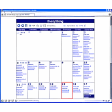
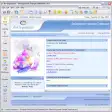
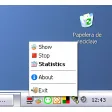
Hronos can help you prevent this situation. It tracks the time you spend on every single application, plus offering complete statistics in usage percentages. The program doesn't require installation; it just sits on your system tray and does its job without any user intervention.

On the downside, we missed some configuration options and the possibility to save statistics in some way. We also would like to know what the program counts as "not working". I could be browsing personal blogs all day long and that would count just as "Firefox usage".


Languages:

English

OS requirements for Hronos:

  • OS: Win95/98/98SE/2000/XP/Vista
Pros
  • No installation required
  • Works in the background
Cons
  • No configuration options
  • It doesn't specify what "not working" means.
Did you like this review?
3 of 5 users liked it (60%)

From the publisher of Hronos

Many will find this situation familiar – you spend a lot of time working at your PC and seem to do lots of things. But when the working day is over and you glance over what you have done, you realize with horror (the degree of horror being different in each individual case), that the amount of work done is somehow much less that it was planned. That really perplexes you. Haven’t you been busy all day long? Well, maybe you did surf the web a bit... And yeah, talked a little on ICQ and had some tea and a cigarette... But surely that could not take that much time. So what went wrong?

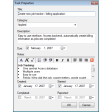
To be honest we had that problem. At some point we got really sick of it, so, in order to discipline ourselves, we wrote a simple program called Hronos. This program (softly-softly) tracks time spent at PC. Hronos tracks all the applications with which you have worked and all the documents in these applications. The program minimizes to the system tray and "spies" on you from there.

Hronos options

Hronos Options

Reviews for Hronos in other languages

  • Hronos (Análisis en español)
Softonic Rating:Not bad
9/10

User Rating

2 ratings
Usability
  • Currently 10/10.
Stability
  • Currently 9/10.
Installation
  • Currently 9/10.
Functionality
  • Currently 7/10.
Appearance
  • Currently 9/10.

Download stats